


How to withdraw funds from Spot Wallet
BNQ Global
Updated at: 2 years ago
BitTNT has been created with the core idea of user-centricity and user friendliness, where navigating through the entire exchange is easy and can be done intuitively. Withdrawing funds from the BitTNT Spot Wallet is simple and can be completed by following these simple steps. One thing to be noted is that the time taken for the funds to be withdrawn depends on the Network Chain that the user selects. Each Network Chain requires its own time but rest assured that the process will be completed successfully, if you have entered the right information. Users can follow these steps for any cryptocurrency, here we will take USDT as the example.
Step 1 - Obtain The Deposit Address
Go to the wallet or exchange to which you want to deposit the withdrawn amount. Next to the USDT, select the “Deposit” option. Choose the network chain and specific deposit address will be generated for you.
Step 2 - Open Your BitTNT Wallet
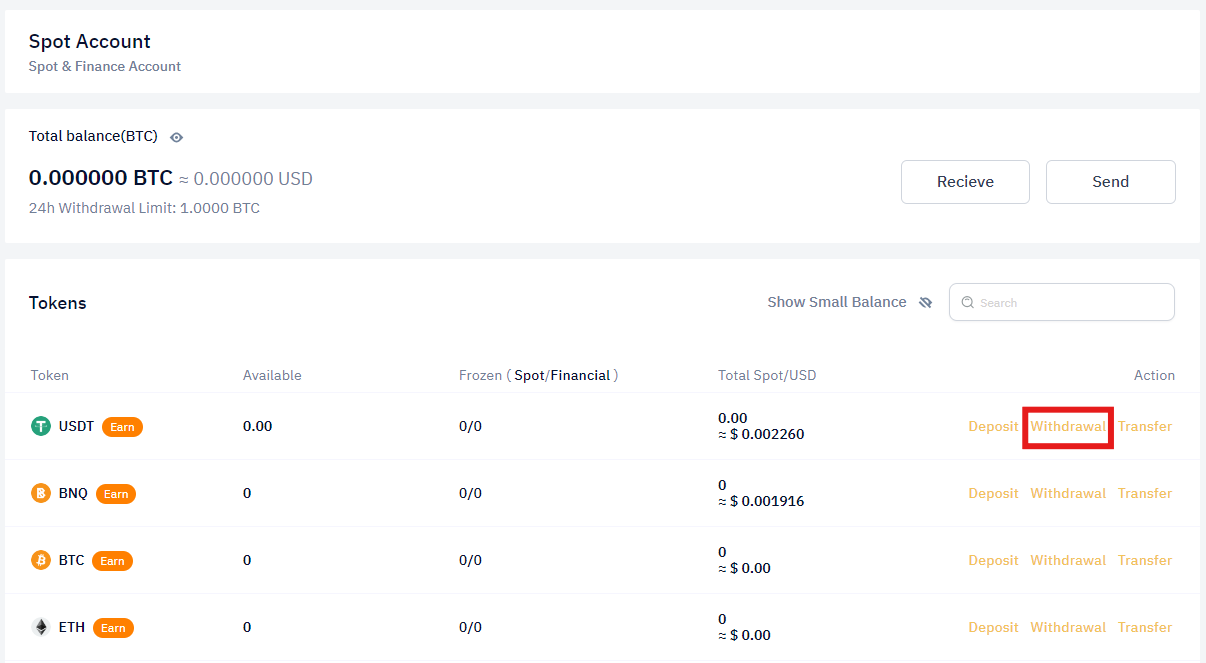
On the BitTNT exchange, in the dashboard, navigate to the Spot Wallet. Next to the USDT, click the “Withdrawal” button.
Step 3 - Initiate Withdrawal
Once you click the “Withdrawal” button, the withdraw process will begin by a prompt where you have the specific information to fill out correctly.
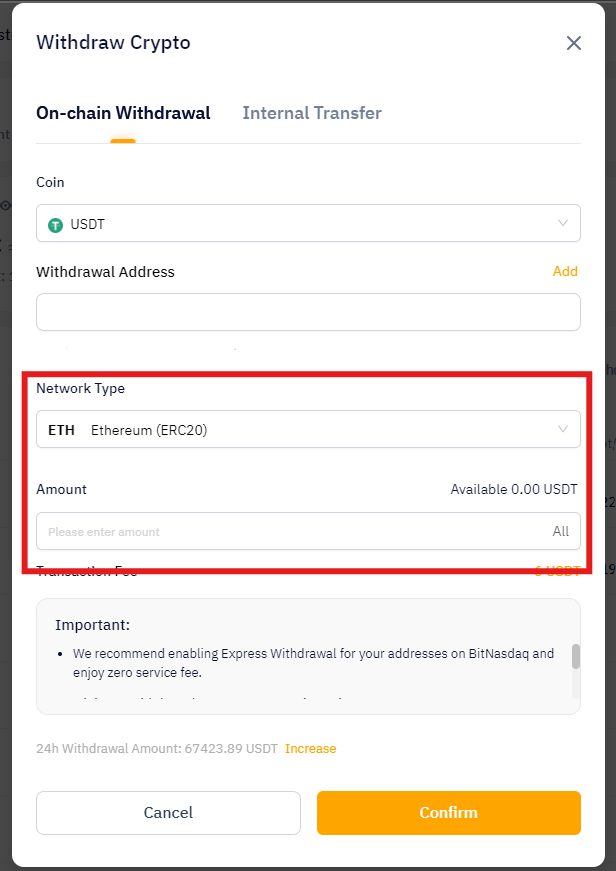
Step 4 - Select Chain and Enter the Amount
In the withdrawal prompt, select the same blockchain (chain) as the other wallet. Either ERC 20, BEP 20, or TRC 20.
Enter the amount of USDT you wish to withdraw.
Step 5 - Copy Deposit Address
Copy the deposit address provided by the other wallet. Ensure accuracy to prevent any transfer errors.
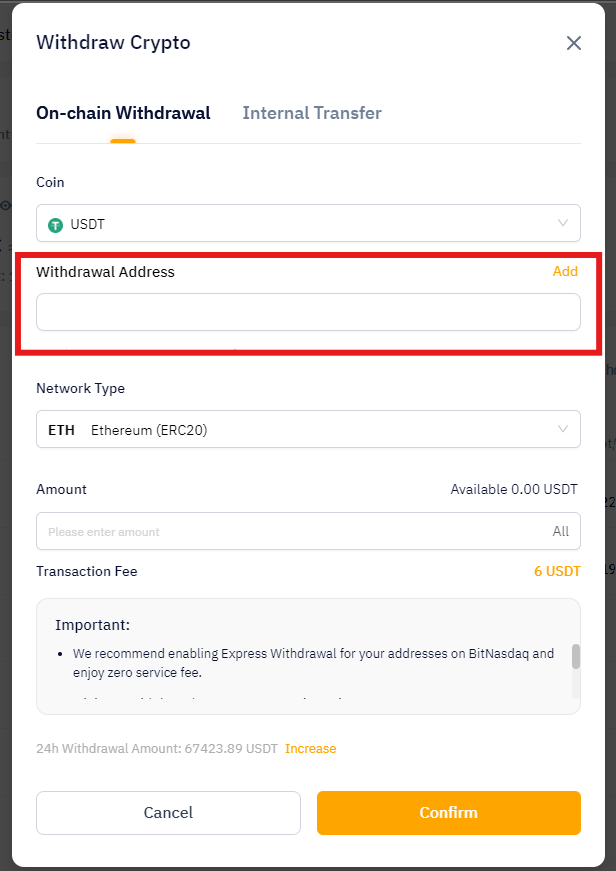
Step 6 - Paste the Deposit Address in the Withdrawal Prompt
Return to the BitTNT withdrawal prompt and paste the deposit address into the designated field.
Step 7 - Confirm and Complete
Double-check the accuracy of the deposit address and the entered amount. Once satisfied, confirm the withdrawal to initiate the withdrawal process.
Step 8 - Wait for Confirmation
The withdrawal may take some time, depending on the selected chain and network speed. Keep an eye on your wallet for confirmation.
Step 9 - Check BitTNT Account
Once the transfer is confirmed, check your BitTNT account's USDT balance. The withdrawn amount should be reflected in your Spot Wallet.
And there you have it, you have successfully withdrawn cryptocurrency for your Spot Wallet on BitTNT. If you still face any difficulties, then don’t hesitate to contact BitTNT customer support.